How to install Balance Ctrl on the iPhone
2026-09-24
How to get Balance Ctrl to send notices even with the phone locked.
Balance Ctrl is a PWA. To turn on system notices and open the app from the home screen, follow these steps:
Step 1 — Safari
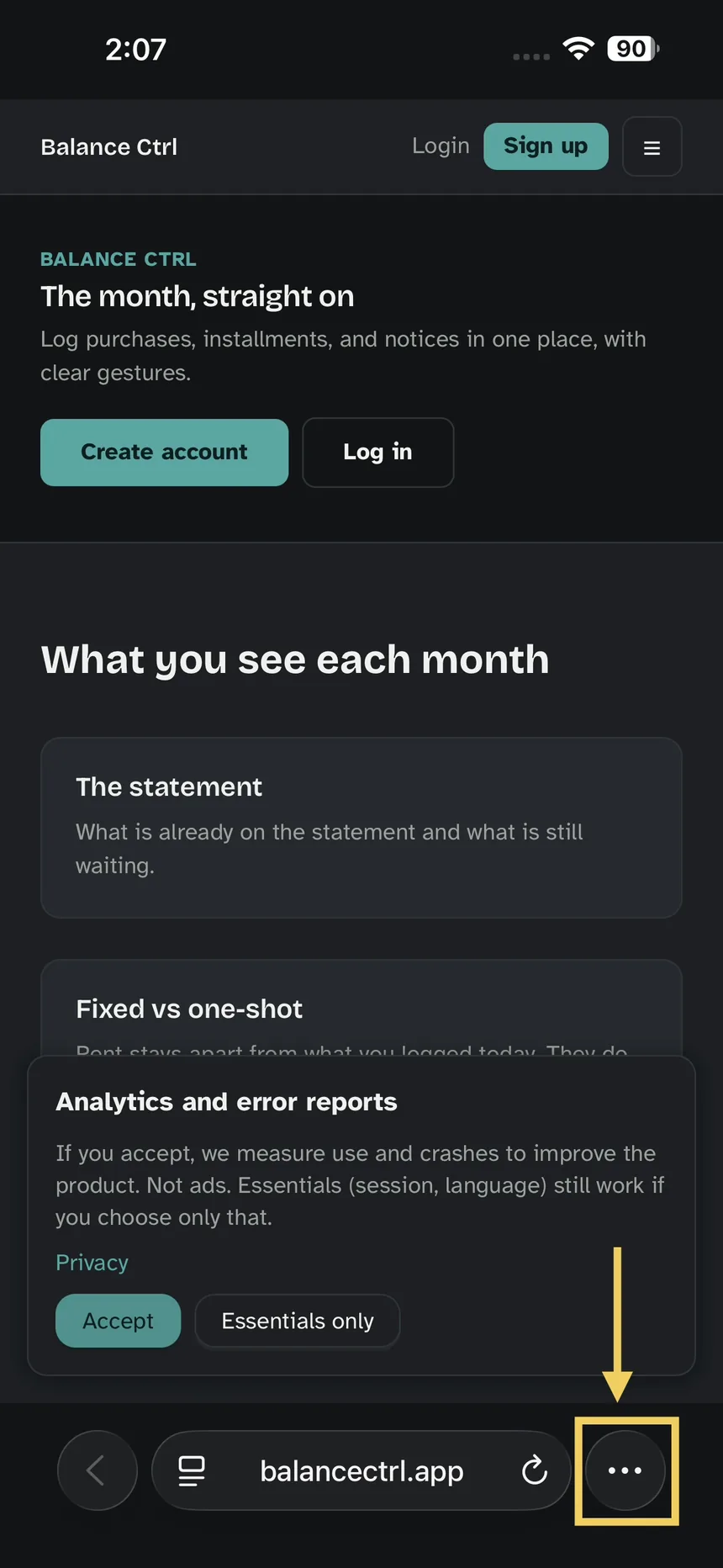
Open https://balancectrl.app in Safari, with the app already loaded. Tap the three dots.
Step 2 — Share
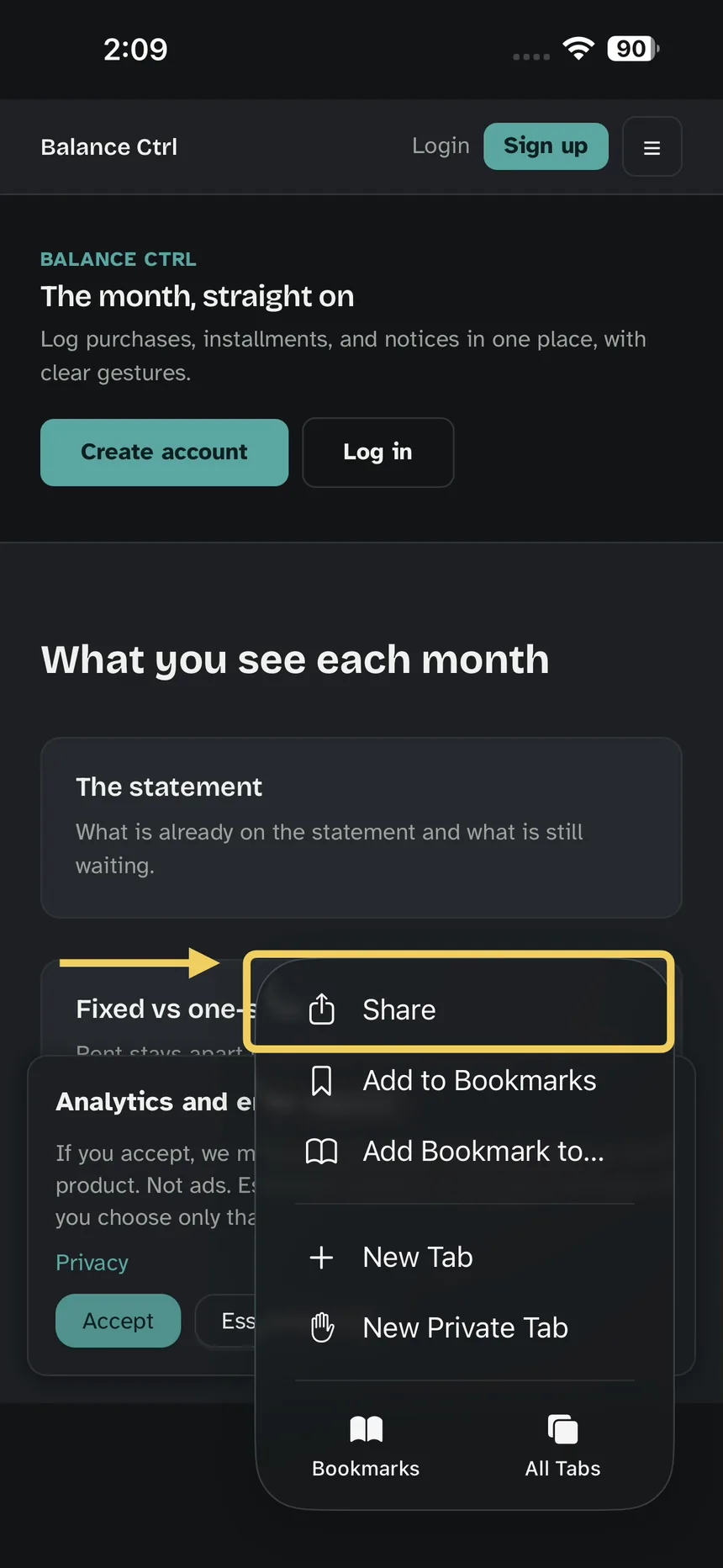
In that menu, Share.
Step 3 — Add to Home Screen
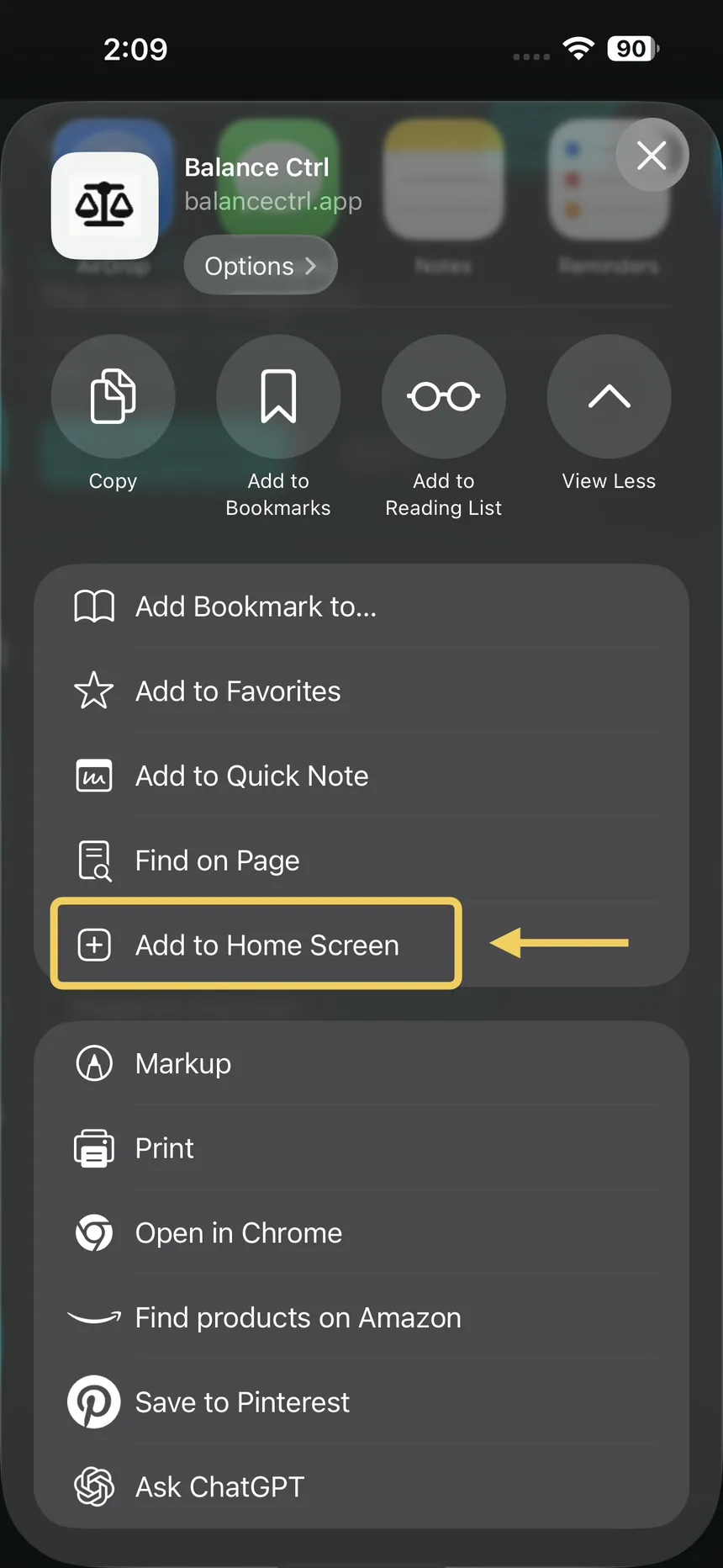
In the sheet that opens, Add to Home Screen.
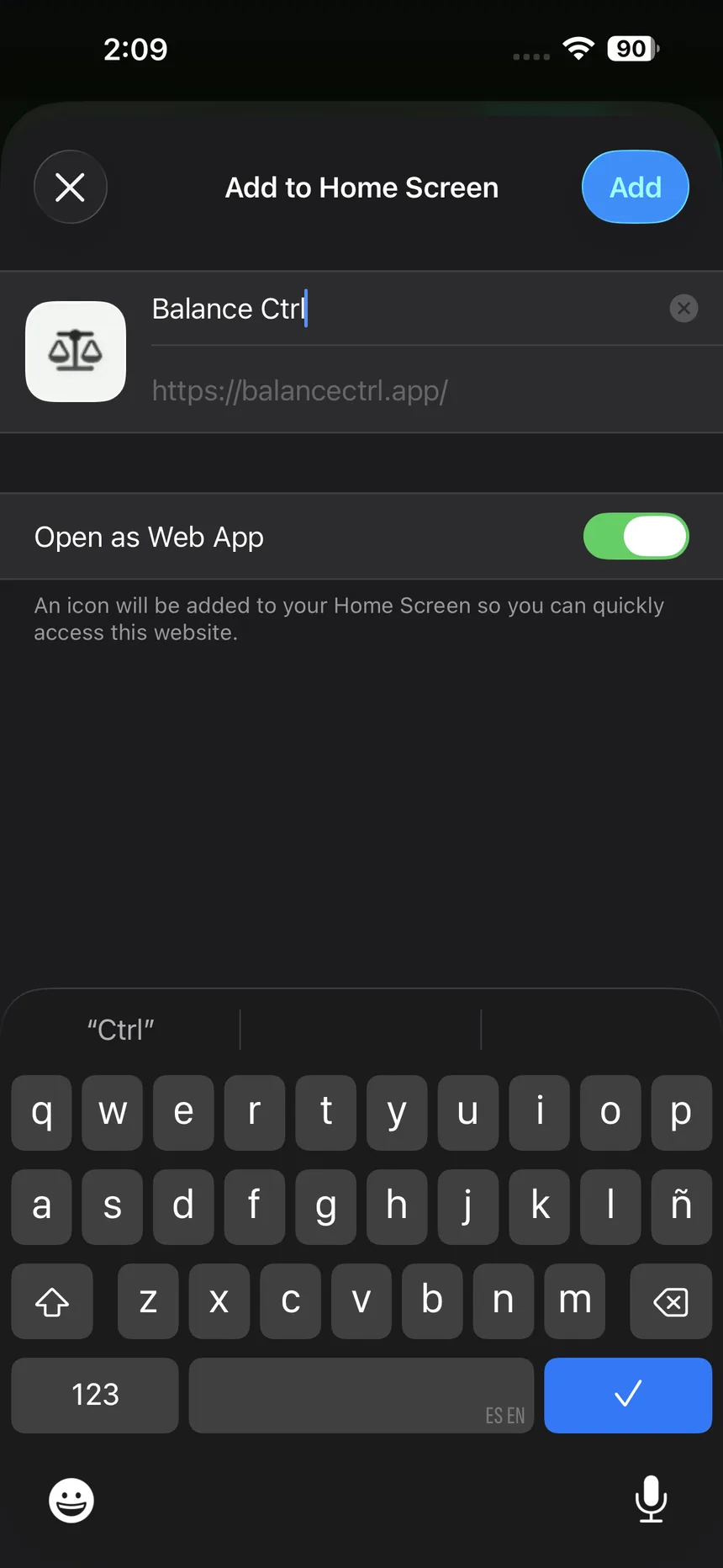
Step 4 — Confirm
The Add to Home Screen view. Confirm the name.
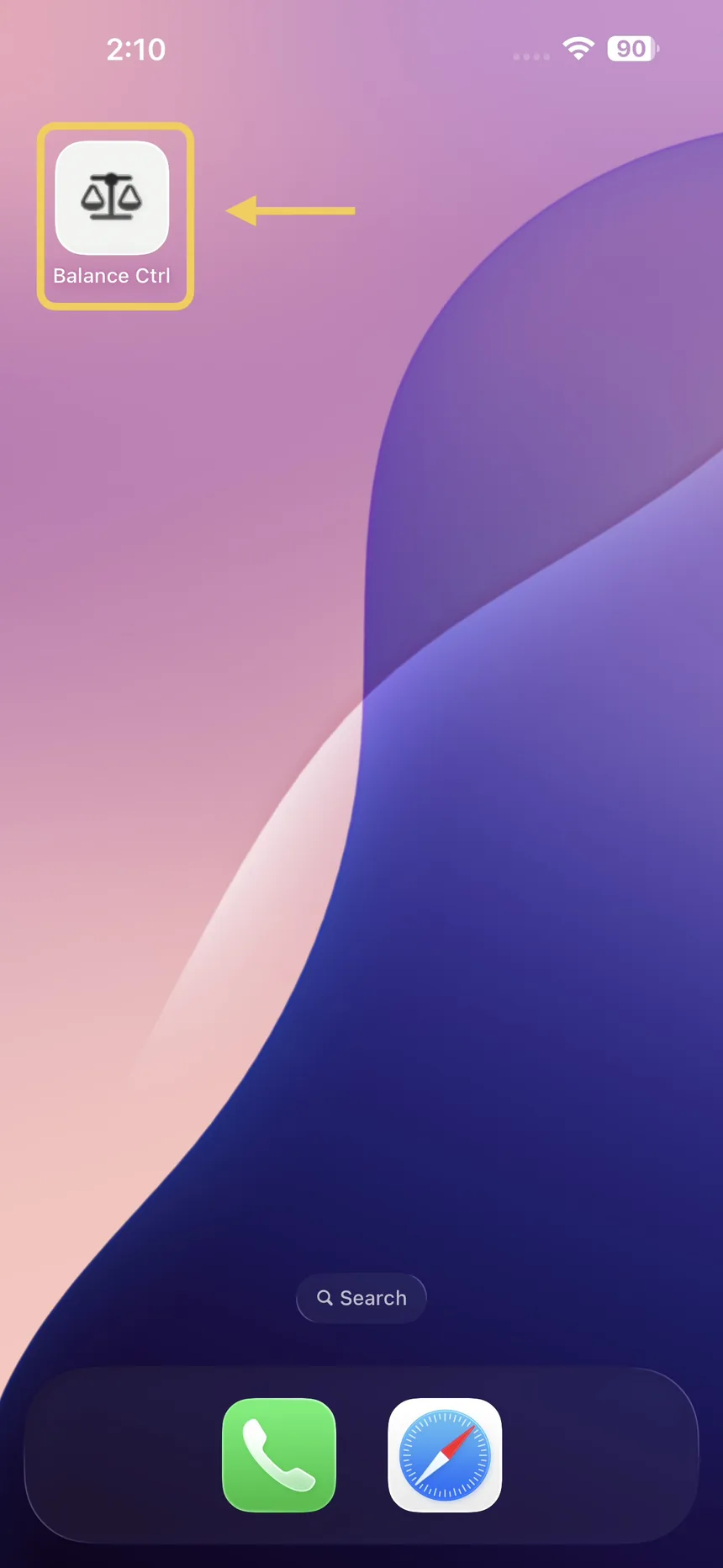
Step 5 — The icon
On the home screen, open Balance Ctrl from the new icon.
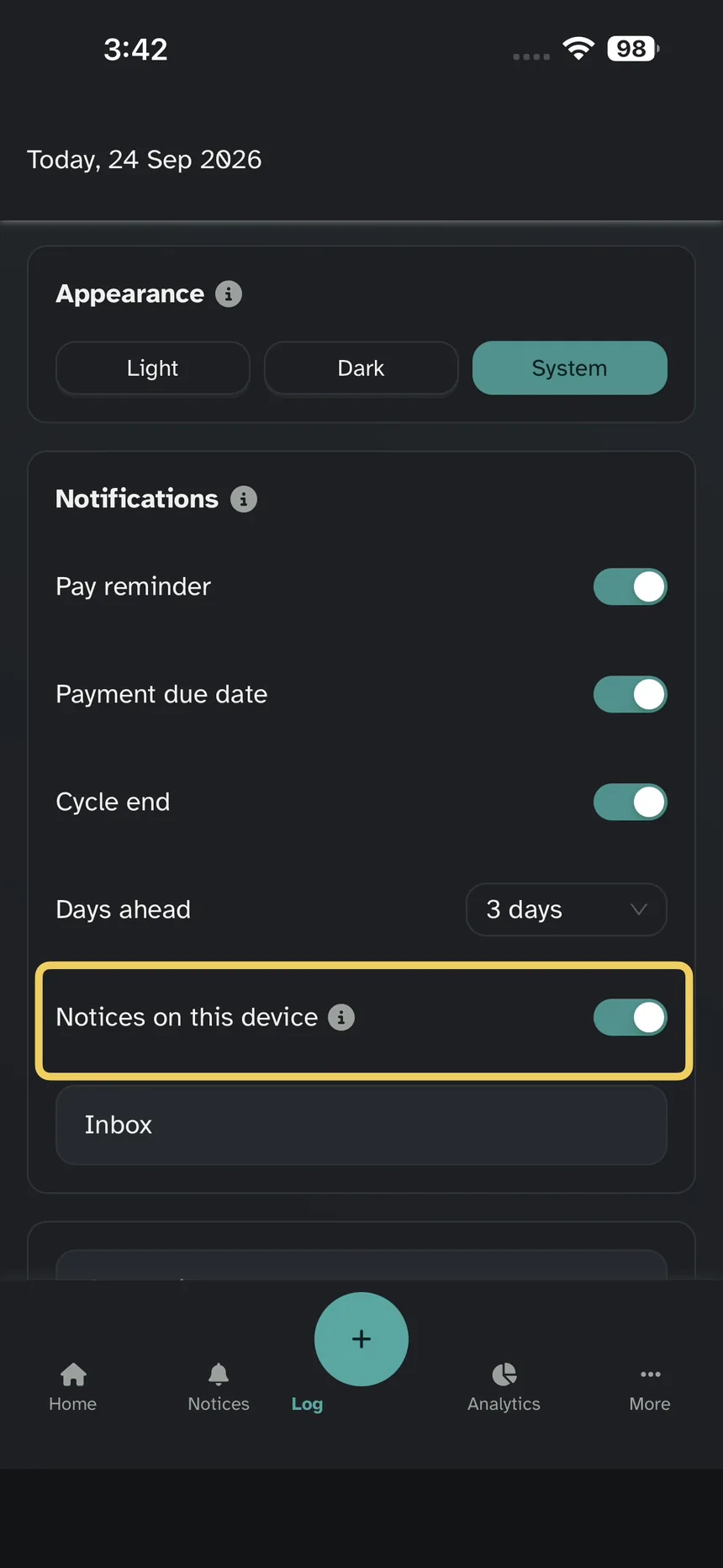
Step 6 — Notices on this device
In Settings, turn on Notices on this device.