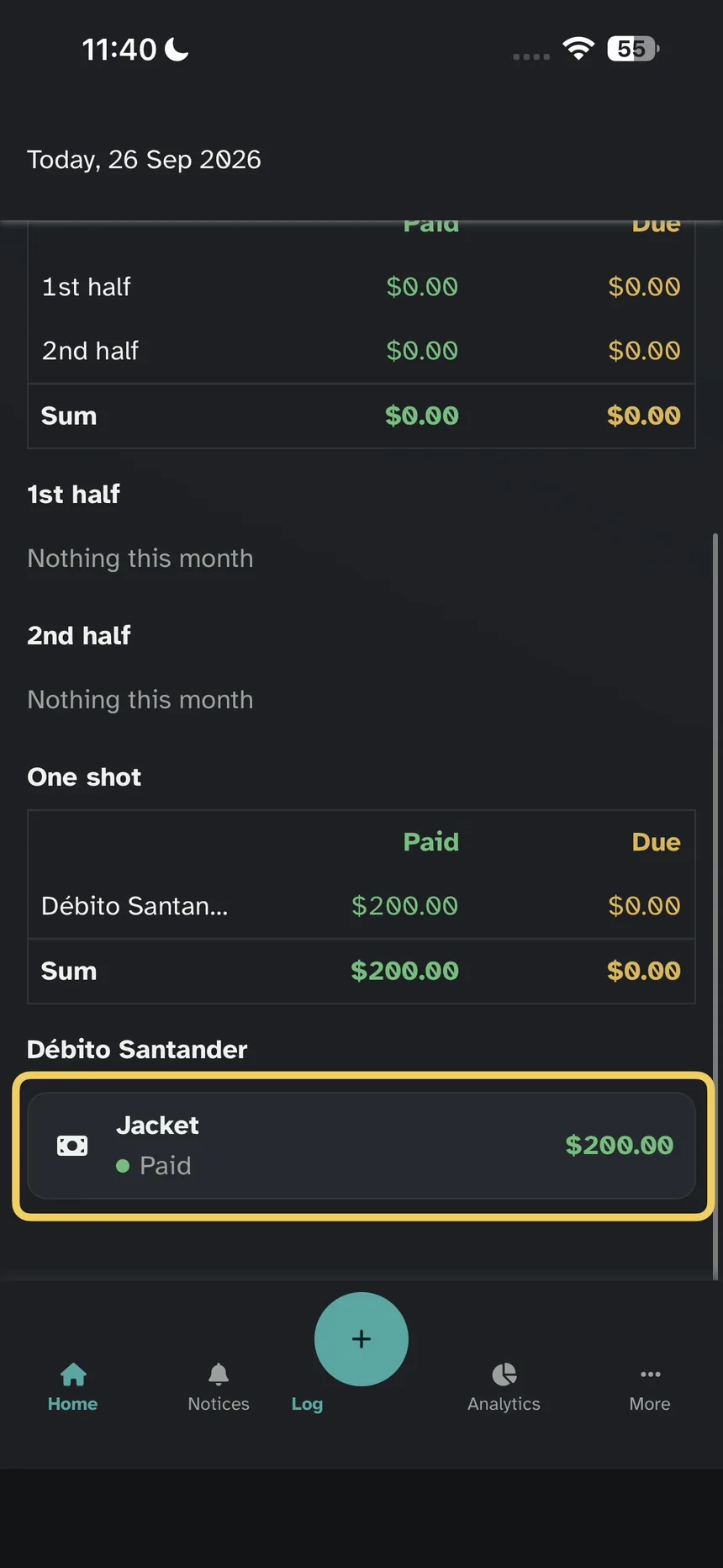
How to log a debit or cash purchase
2026-09-27
Coffee or groceries. Not credit.
Step 1 — Log
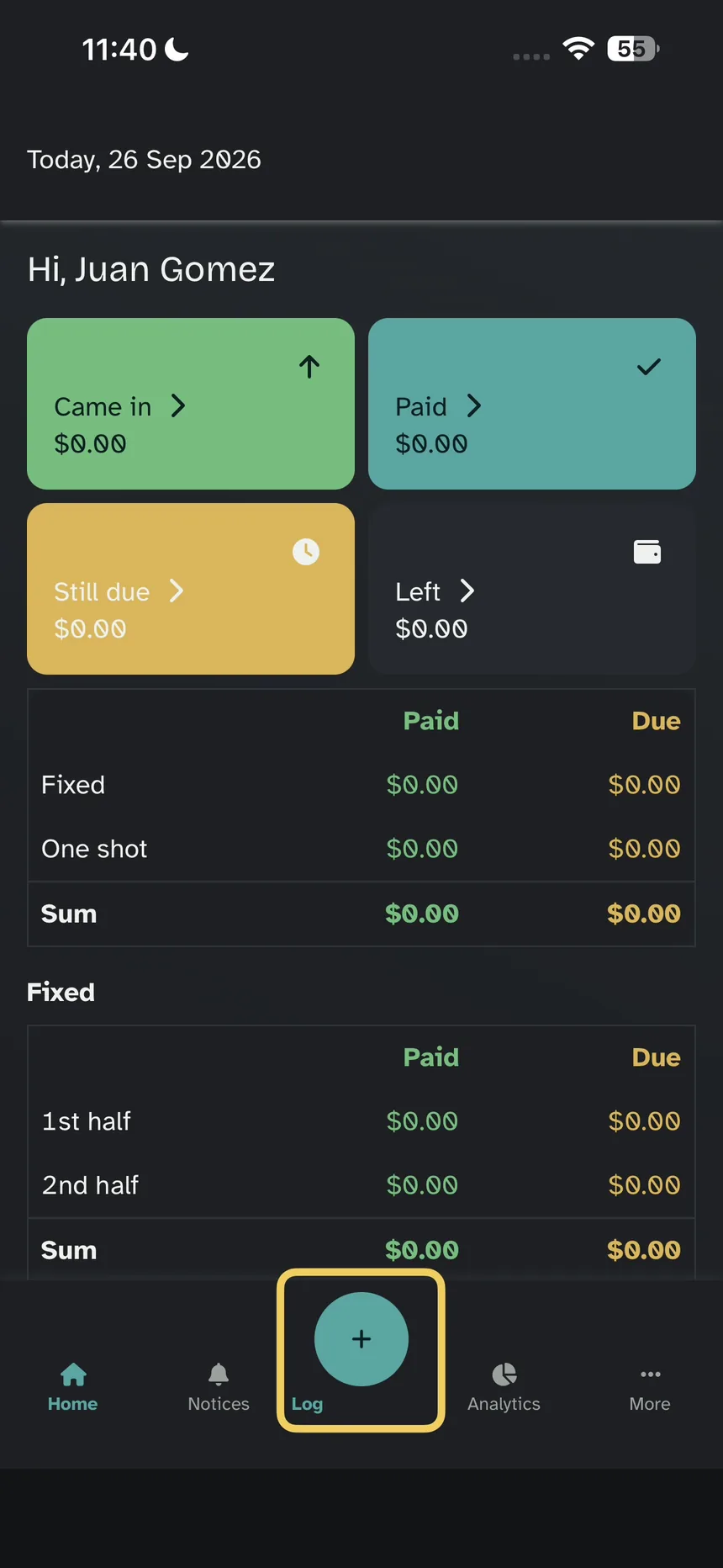
On Home, tap Log (the + at the bottom).
Step 2 — Fill in the form
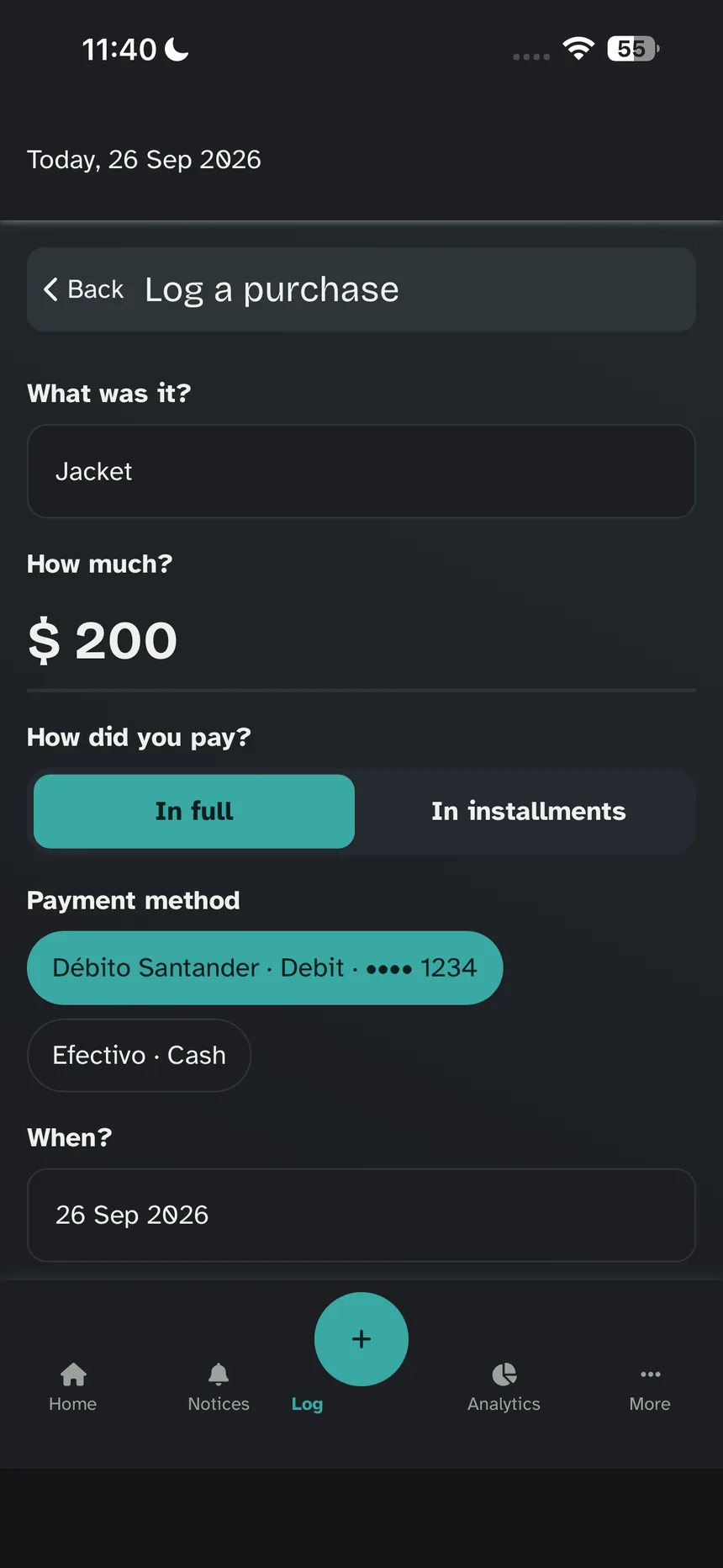
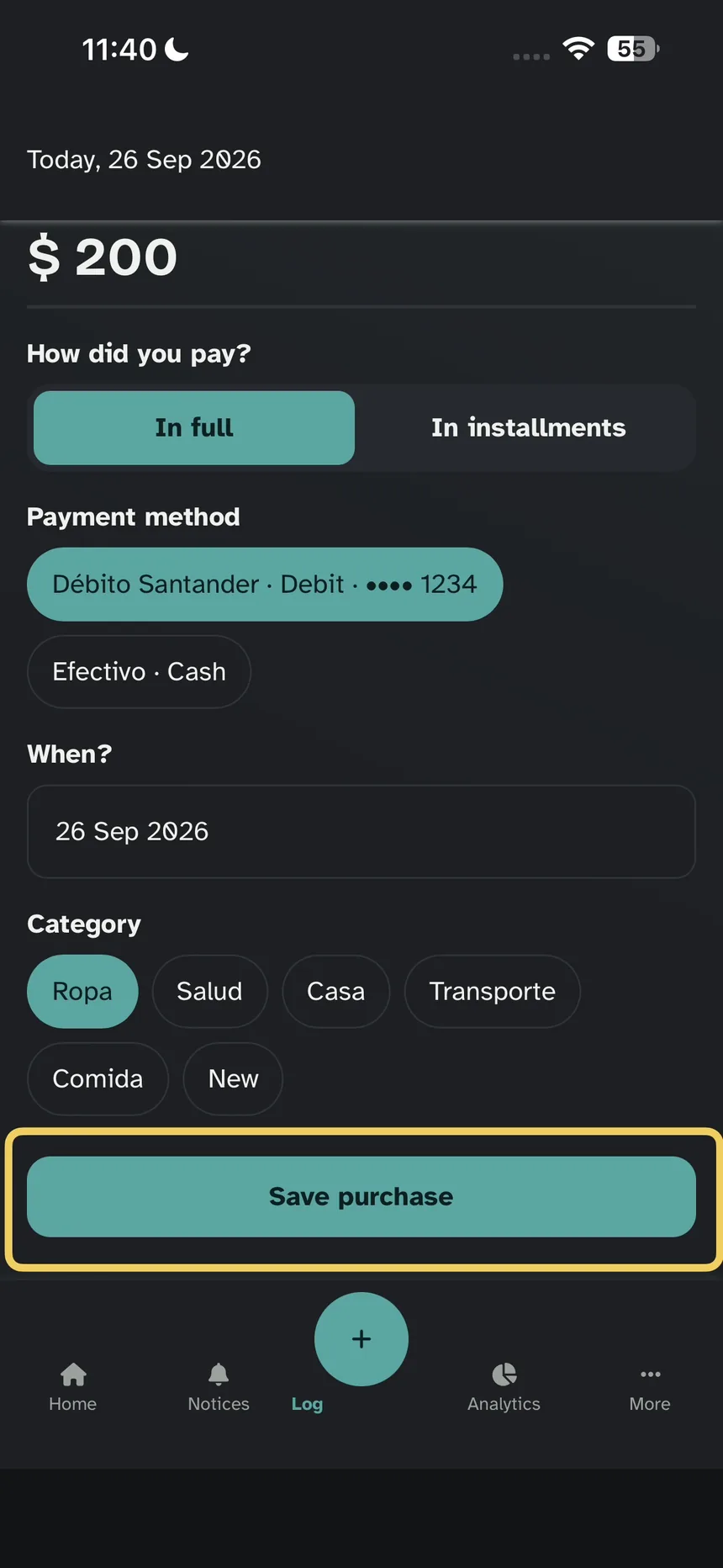
On Log a purchase, fill in the fields and tap Save purchase.
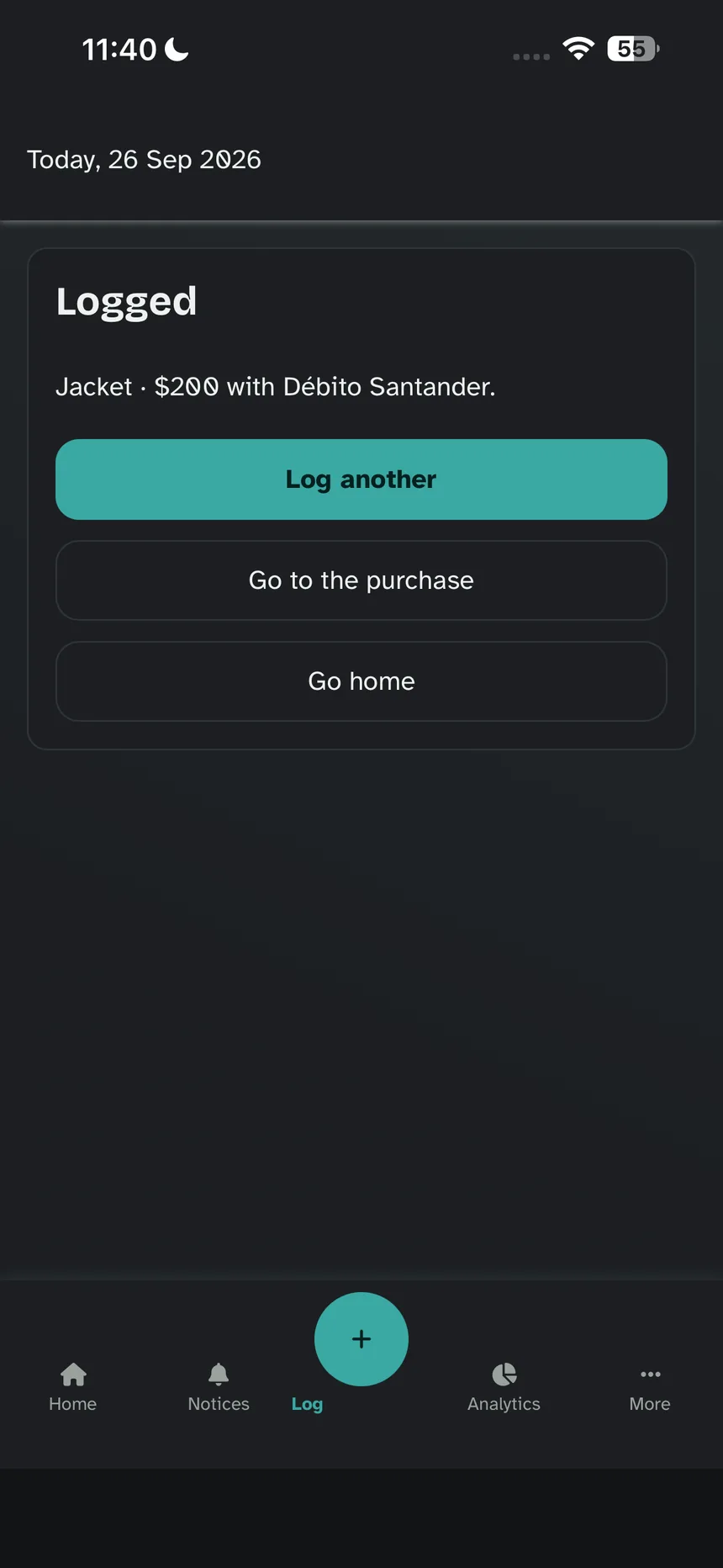
Step 3 — Logged
The app already said it went in.
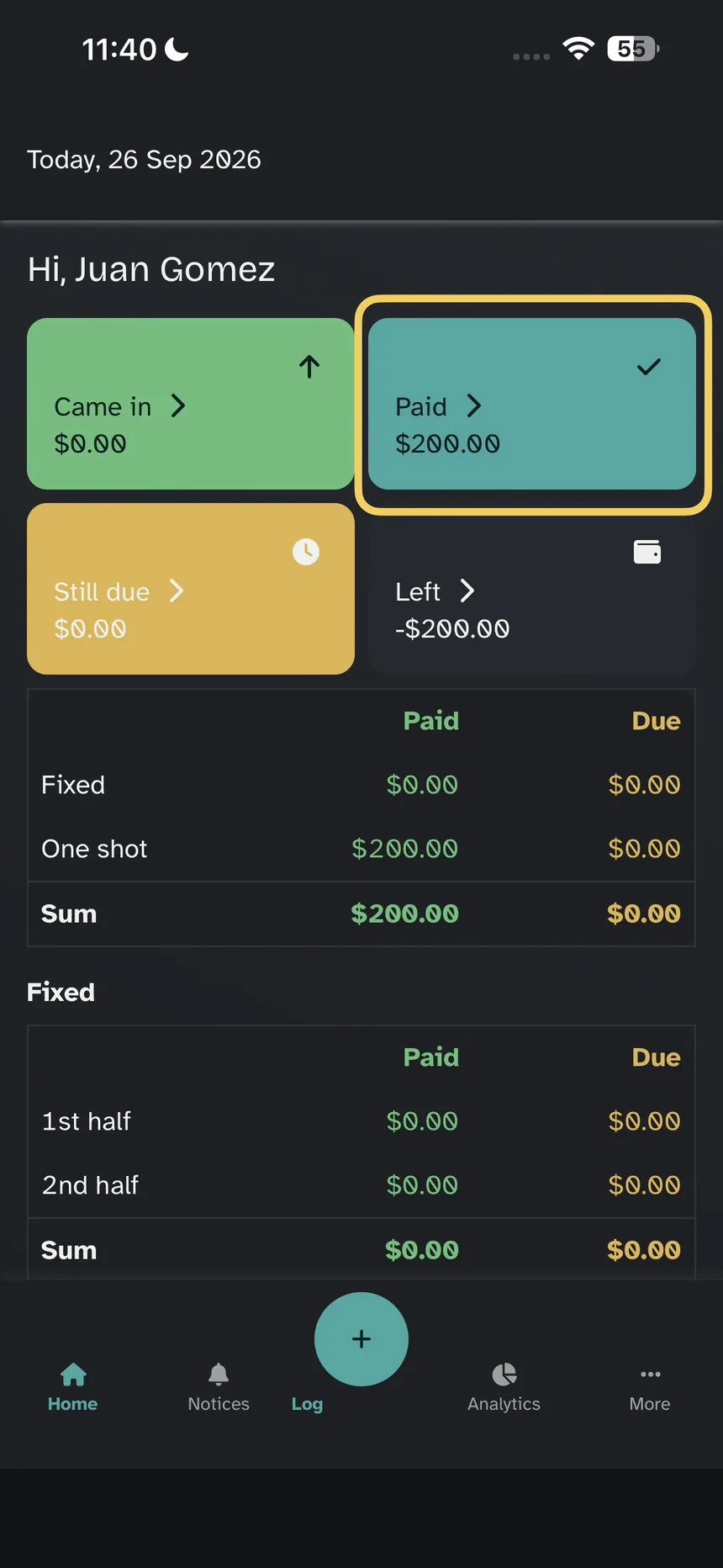
Step 4 — Paid
Back on Home. At the top: Came in, Paid, Still due, and Left. This purchase is already in Paid.
Step 5 — The row
Further down, Débito Santander: the purchase, the total, and Paid.